Redesigning an AI-Built CRM for a Construction Firm

Replacing disconnected spreadsheets with one pipeline that tracks every deal by stage, next step and margin.

ROLE
  • Product Designer, leading the pipeline redesign end to end
  • Planned and conducted user interviews and usability testing with construction professionals
  • Reshaped an AI-built prototype to fit how a construction firm wins work
COMPANY
TOOL
Codex, Claude Design, Figma
RESULT
  • Delivered a working coded prototype that replaces 20+ disconnected spreadsheets with 1 pipeline
  • Built a design system with 5 token collections, 11 text styles and 5 shadow levels, fed directly into the AI prototype
  • Deliverables: UI Design, User Flow, Design System
TEAM
1 Project Owner
1 Product Manager
3 Engineers
DURATION
3 months
From AI Draft to a Pipeline That Fits
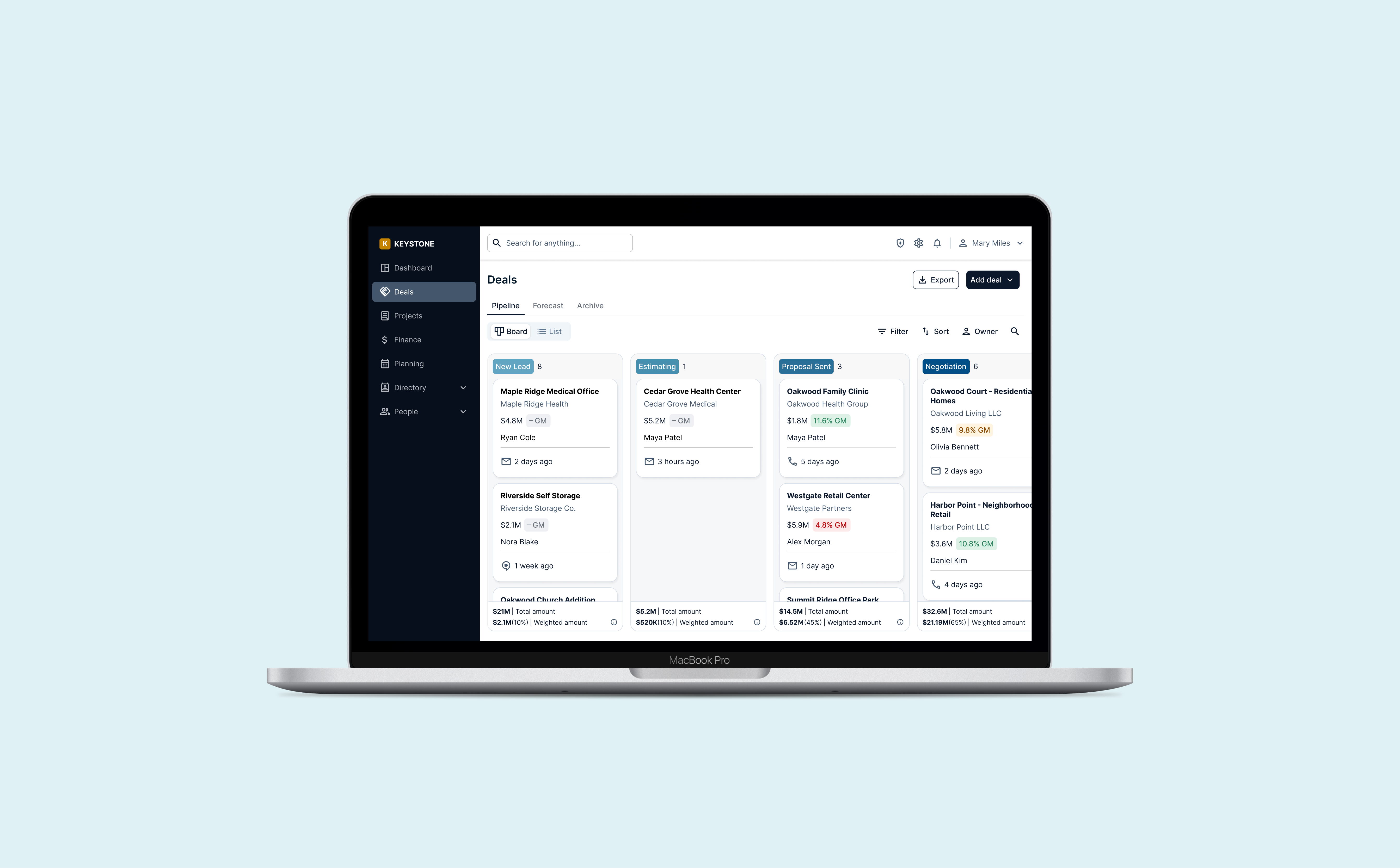
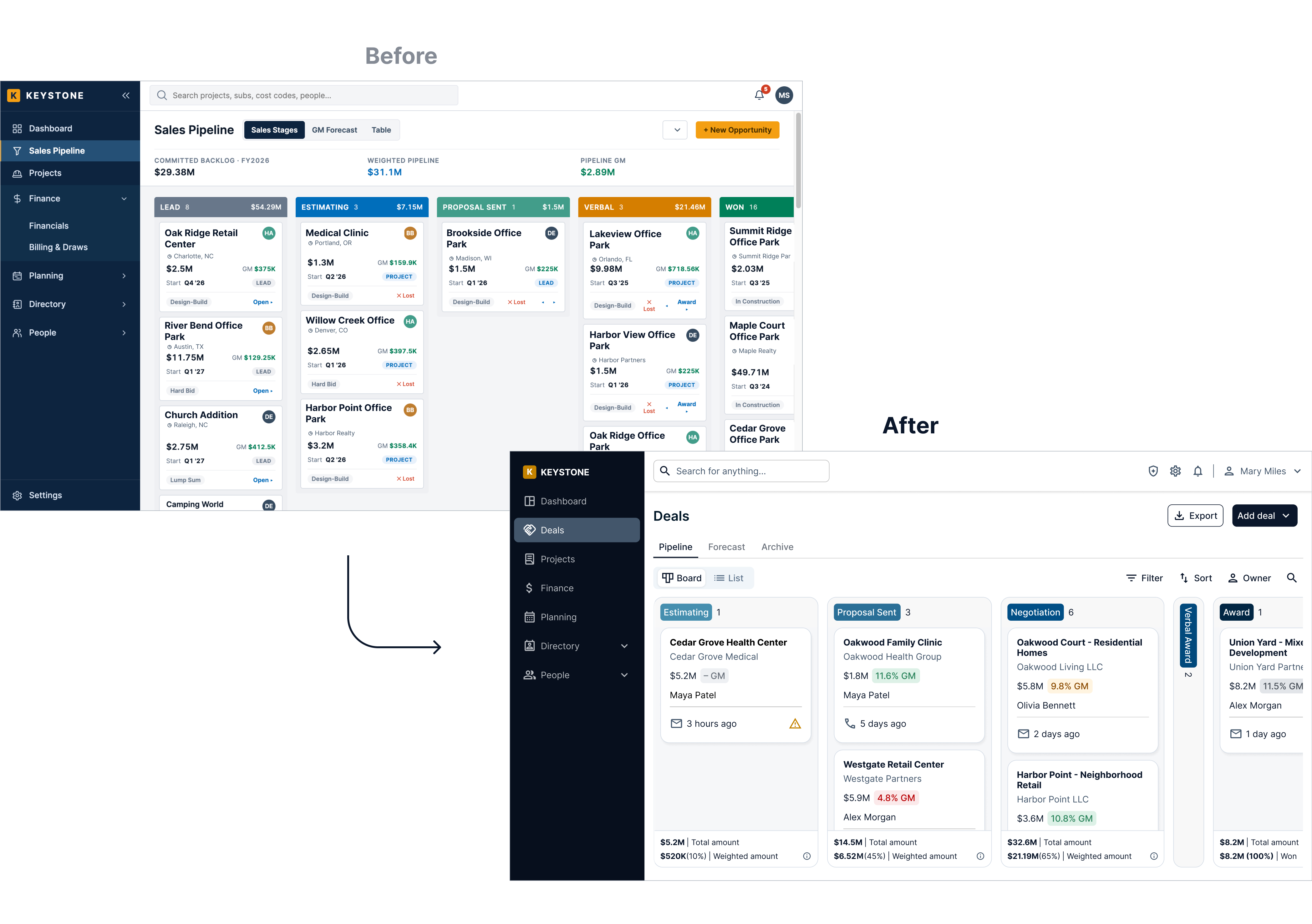
An AI-generated draft became a board built around how the client wins work, with every deal showing its stage, margin against the target and latest activity.
Keystone is a custom ERP that Hitcents is building for a design-build contractor in Kentucky. With about 20 people, the client runs sales, estimating and projects without a full-time sales team, and until now every deal lived in Excel. The sales pipeline is the first step of that system. It's where a deal starts as a bid invite and ends as a project, so every number after it depends on getting this part right.

Margin at a Glance

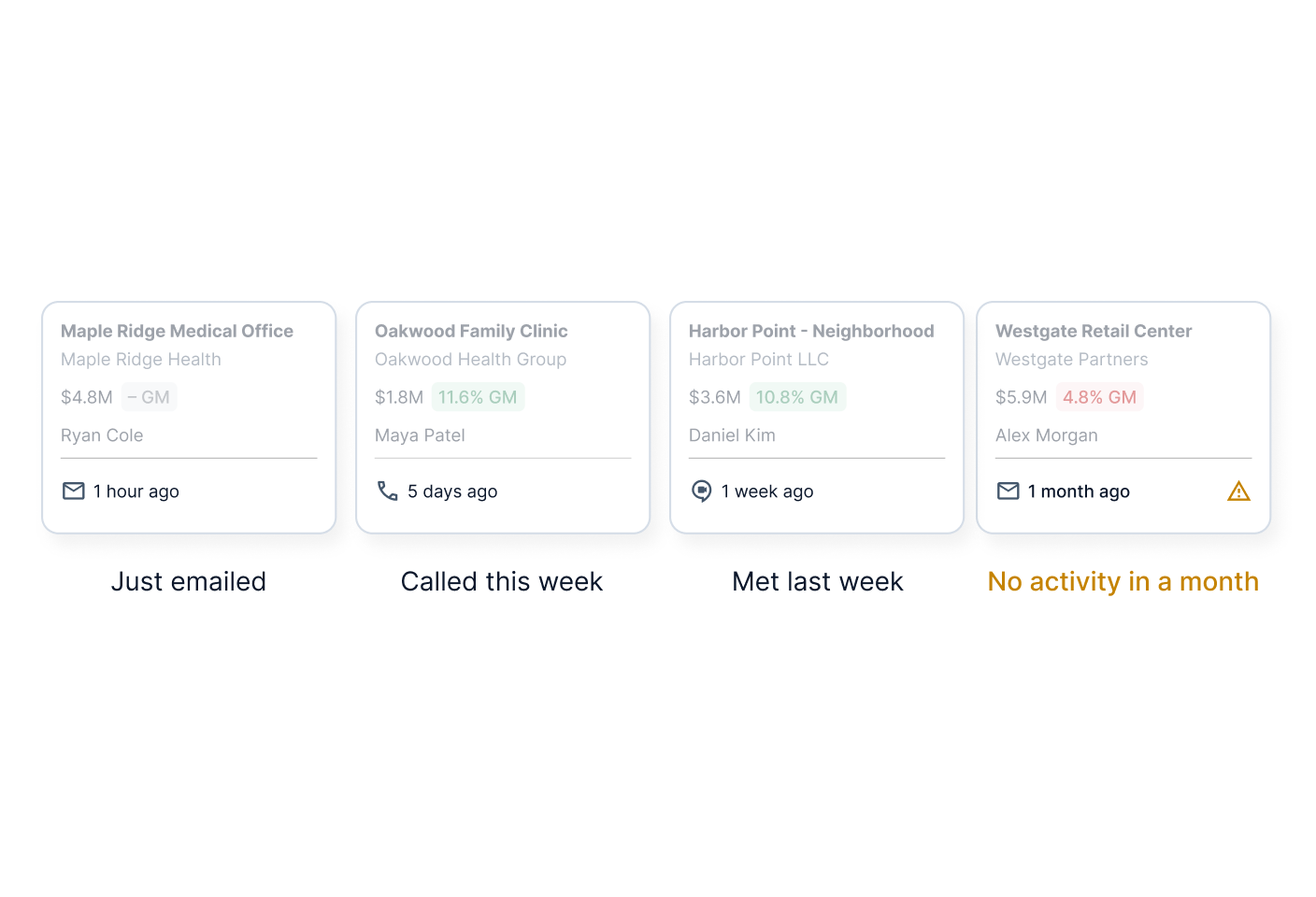
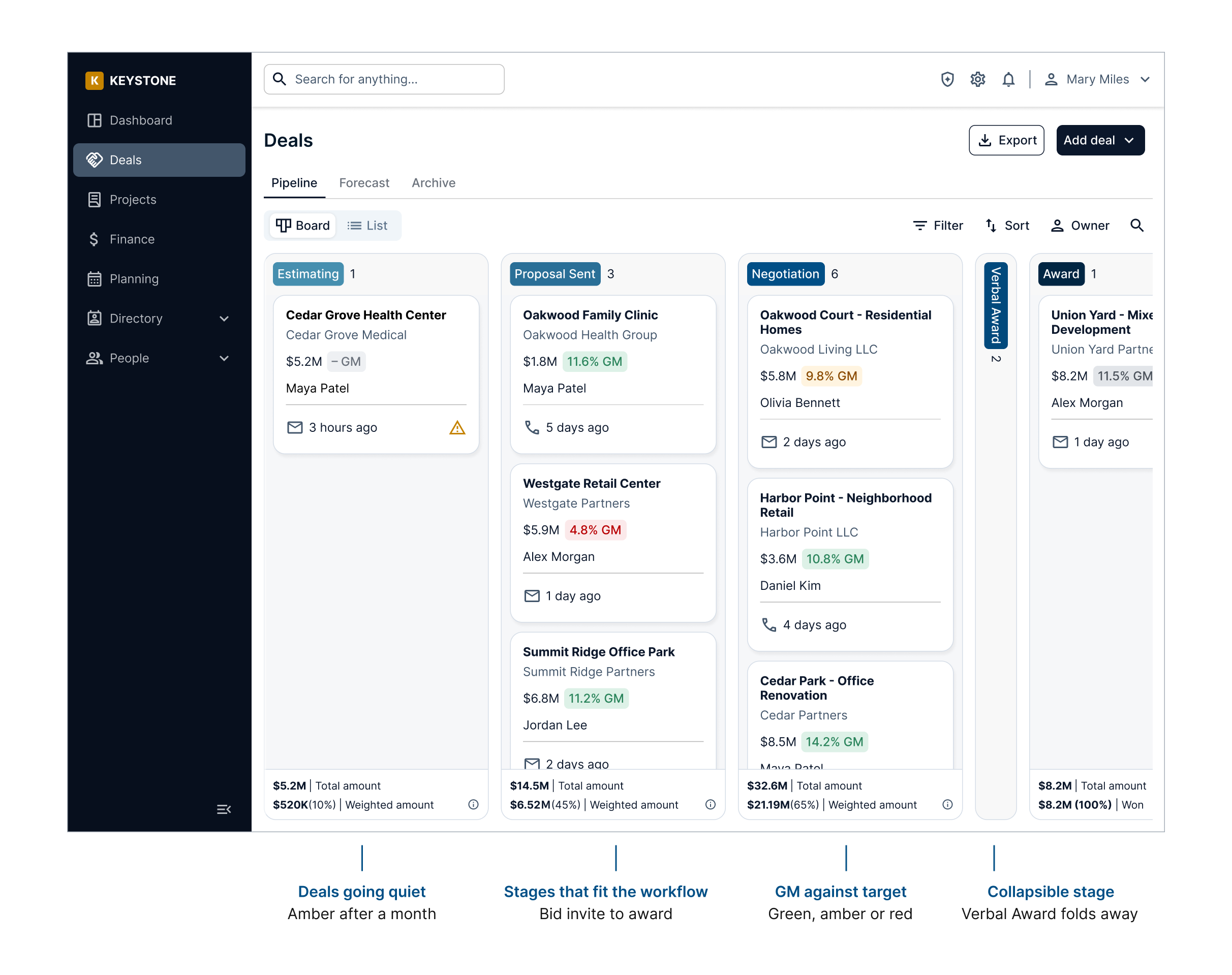
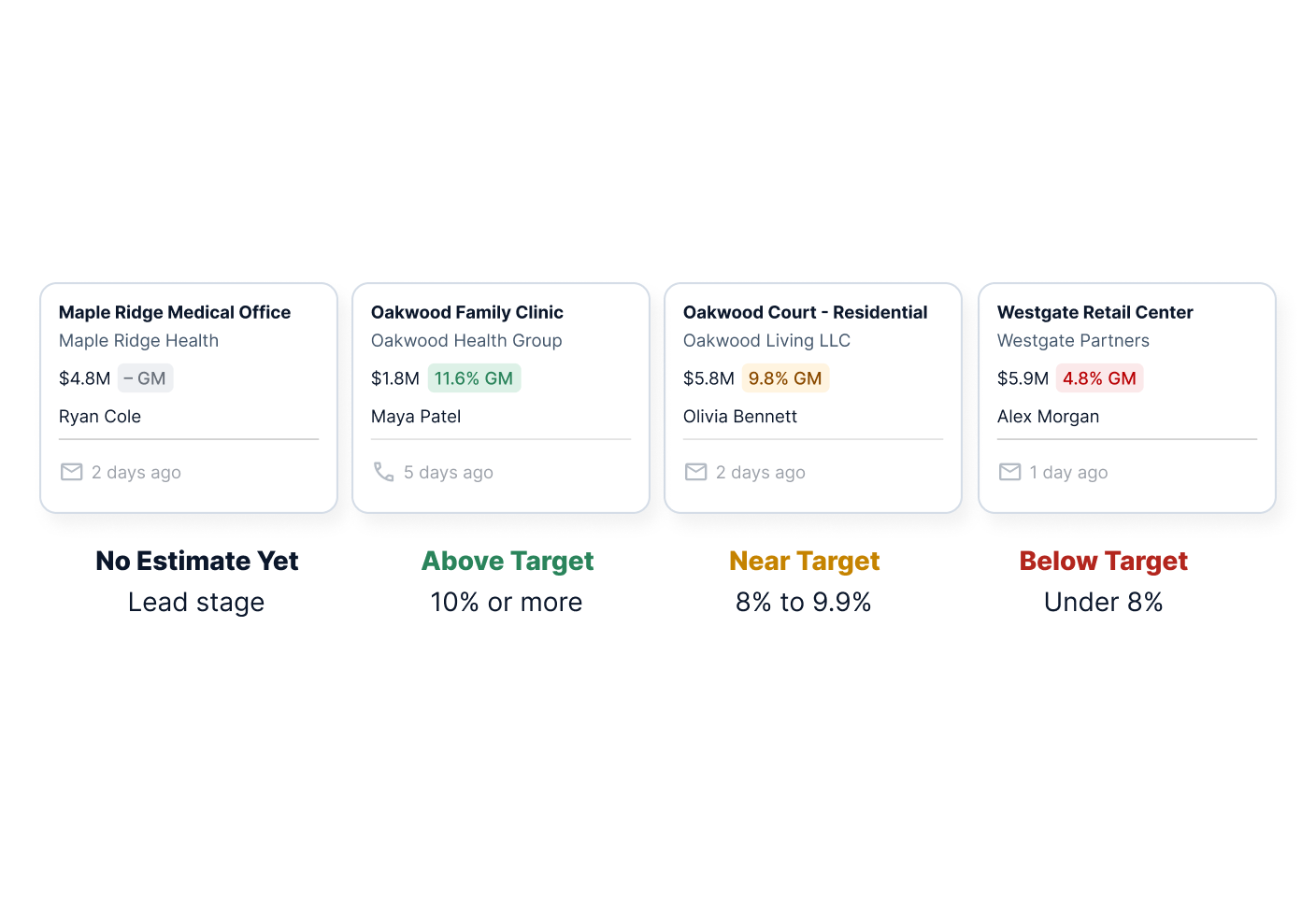
Every card shows its GM, colored against the target. Green is on track, amber is close and red is below, so low-margin deals stand out without opening a spreadsheet. Leads show no margin until a real estimate exists.

See When Each Deal Was Last Touched

Each card shows the latest email, call or meeting and how long ago it happened. A deal that hasn't moved in weeks is easy to spot before it goes cold.

Stages That Fit the Workflow

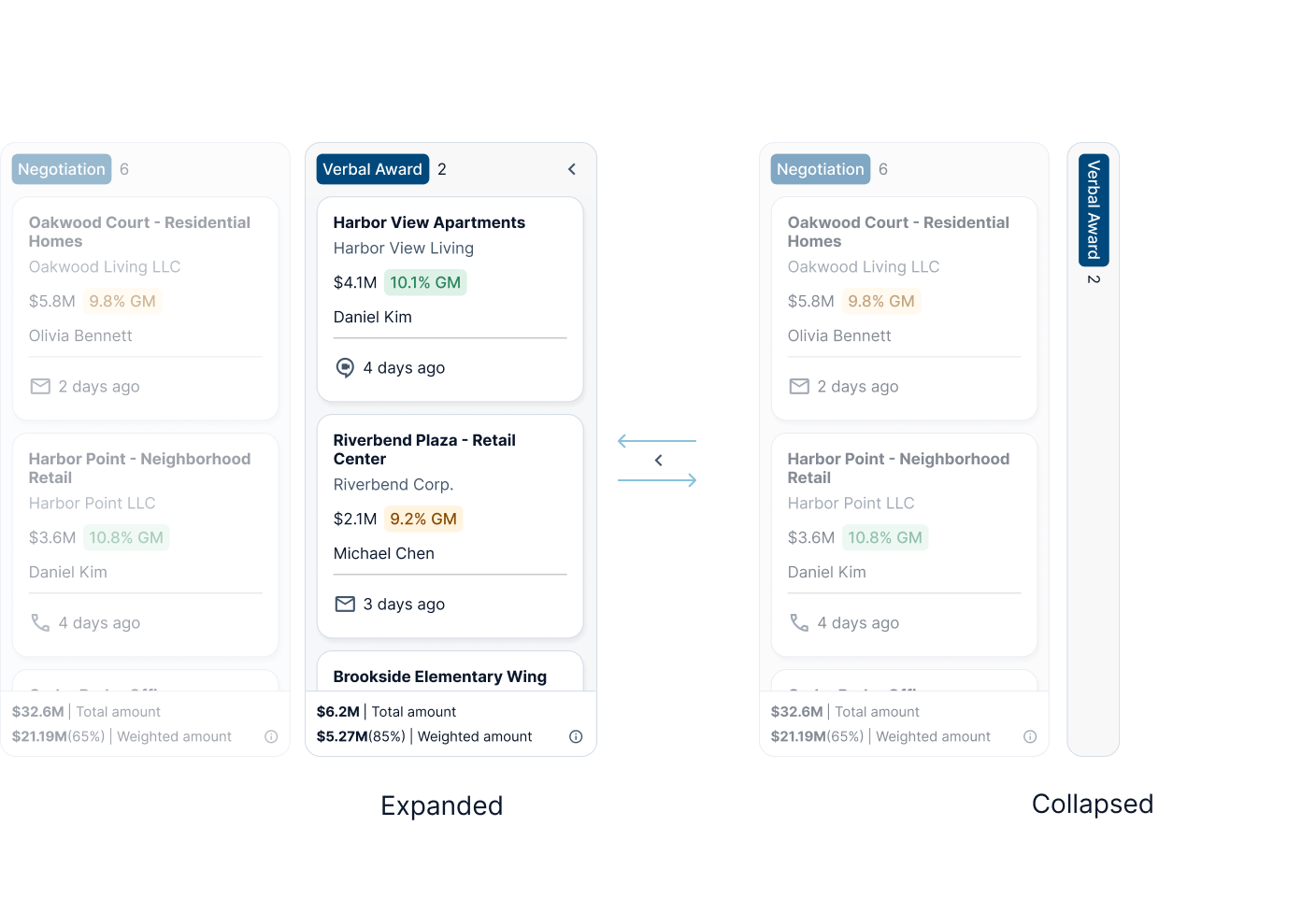
Stages follow how the client actually wins work, including Verbal Award for deals agreed but not yet signed. Any stage can collapse when it's empty, keeping the board focused on deals that need attention.

A Small Team Where No One Sells Full Time

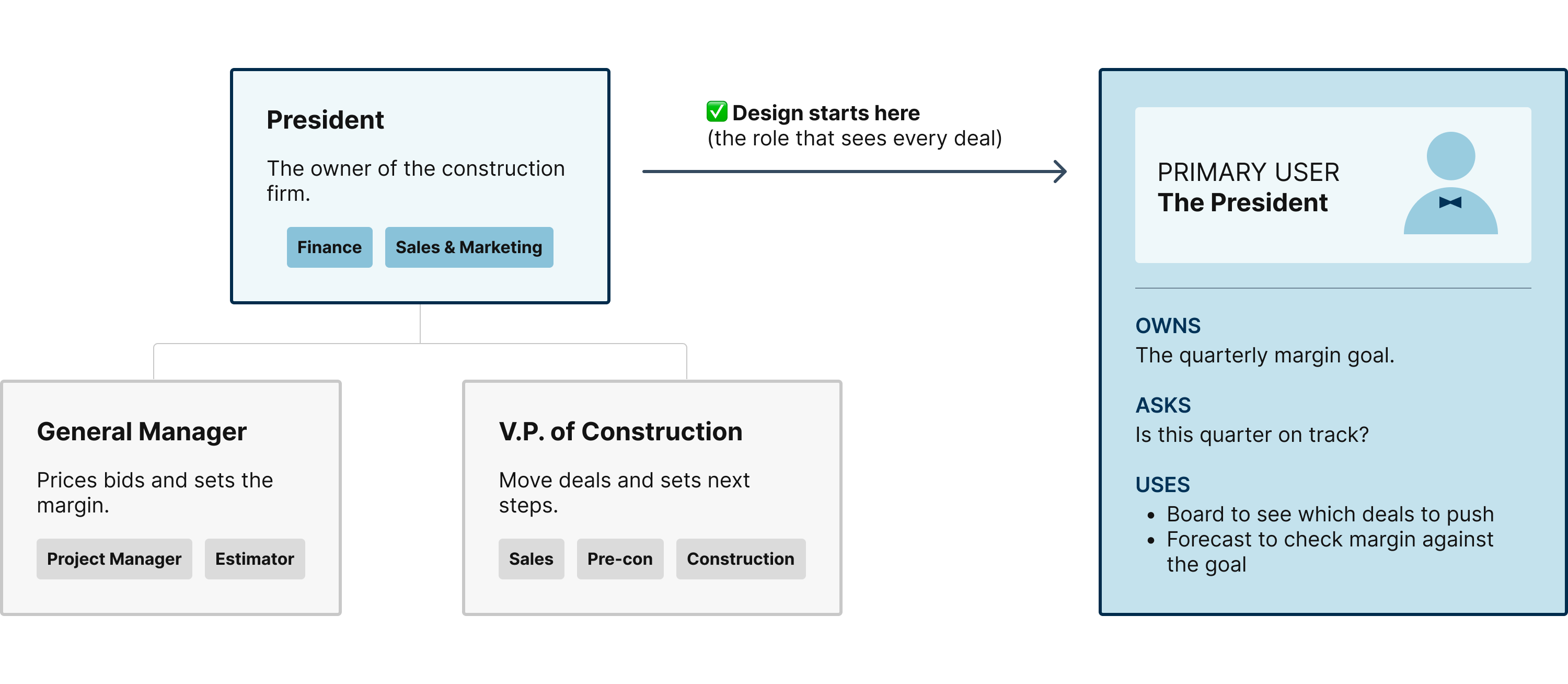
The client runs with about 20 people, and most of them wear several hats. The president also handles finance and sales, the general manager prices bids while running projects, and the VP of Construction sells, plans and builds. With everyone stretched across roles, there's little time left to keep a spreadsheet current.  

The design starts with the president. Like a system admin, he sees every deal and every number, so his view covers the whole pipeline. Other roles can get filtered versions later.

How a Construction Deal Works

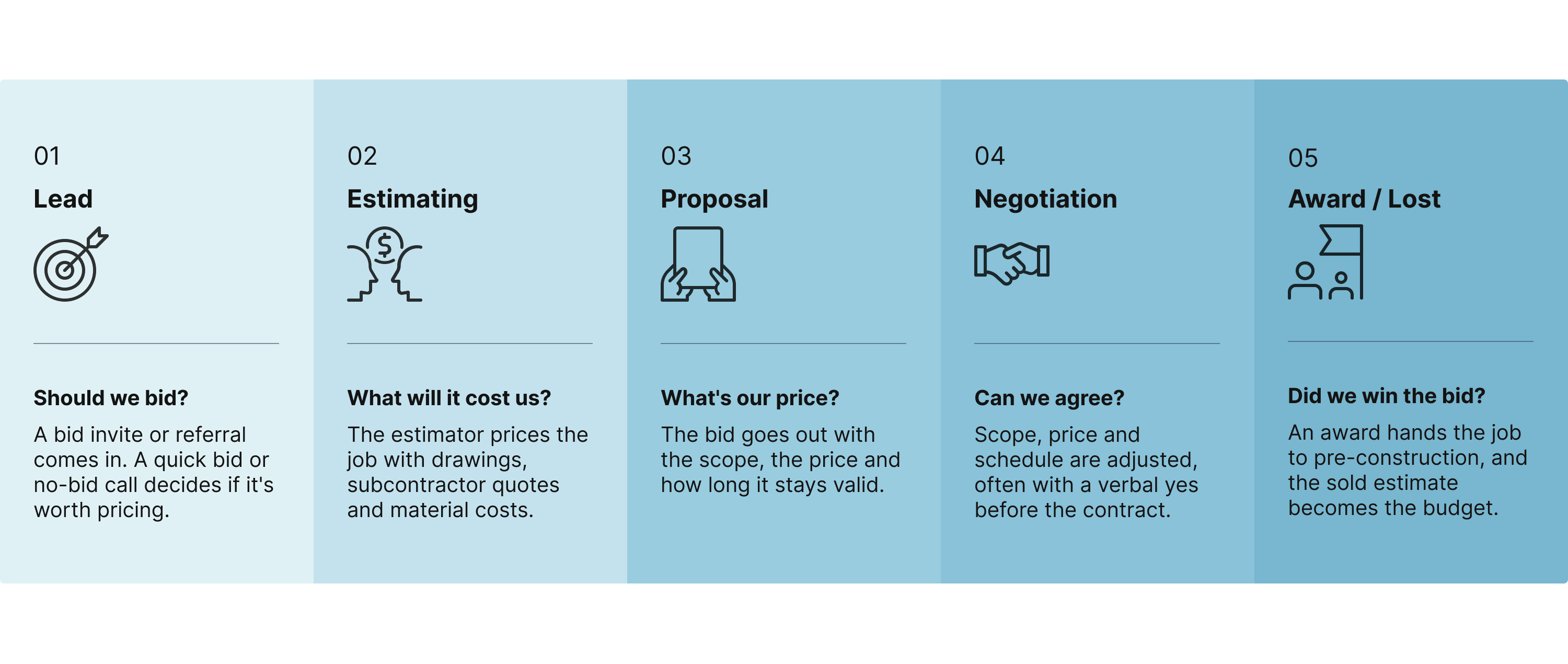
A deal at the client moves through five stages. A bid invite comes in as a lead, the estimator prices the job, a proposal goes out, both sides negotiate, and the job is either awarded or lost. Once awarded, it moves straight into pre-construction.

Five stages from bid to award

A deal moves from a bid invite to an estimate, a proposal and negotiation, and ends as either an award or a loss. Once awarded, it moves straight into pre-construction.

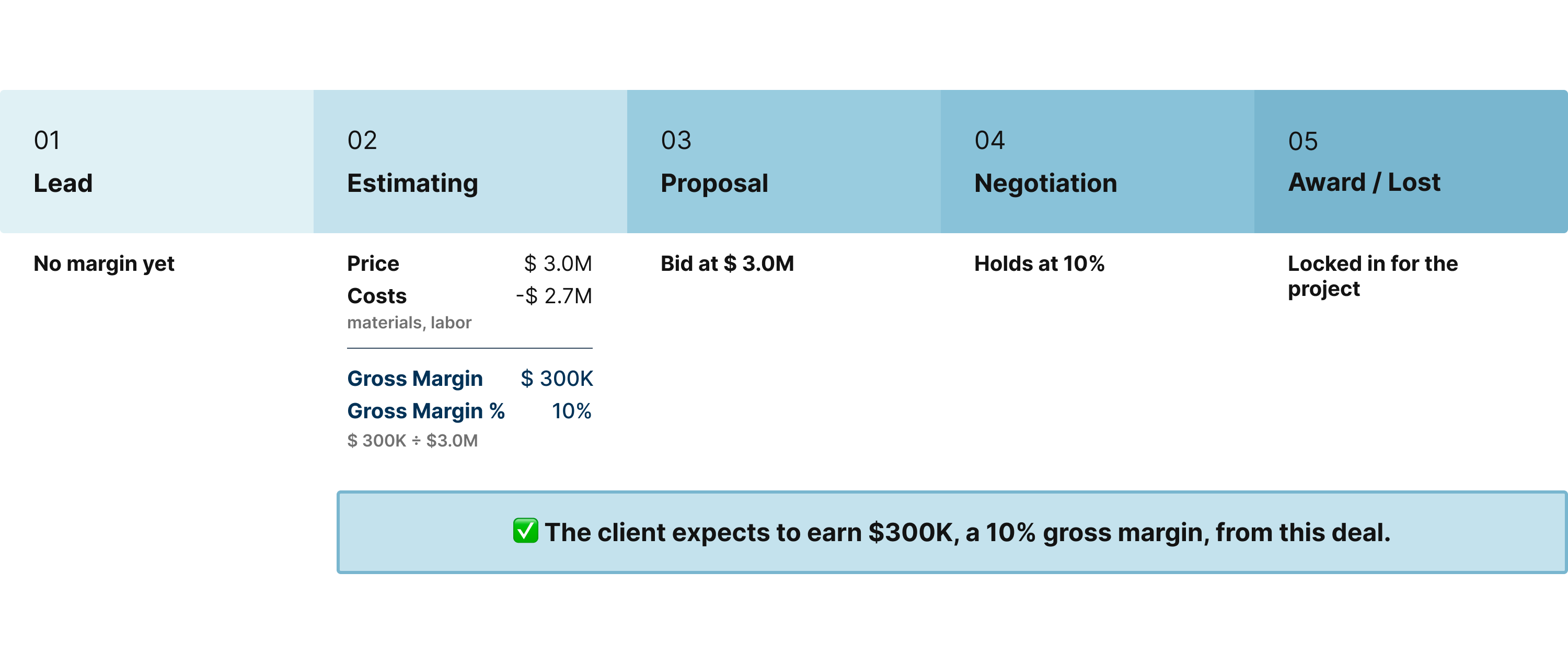
Every deal is measured in margin

Most of a contract passes through to subcontractors, so the client measures every deal in margin, not revenue. Take a $3.0M job. During estimating, the estimator adds up subcontractor quotes, materials and labor to $2.7M. The $300K left over is the gross margin, 10% of the contract. The bid goes out at $3.0M, and the 10% holds through negotiation. Once the job is awarded, that $300K is locked in for the project and counts toward the quarterly margin goal.
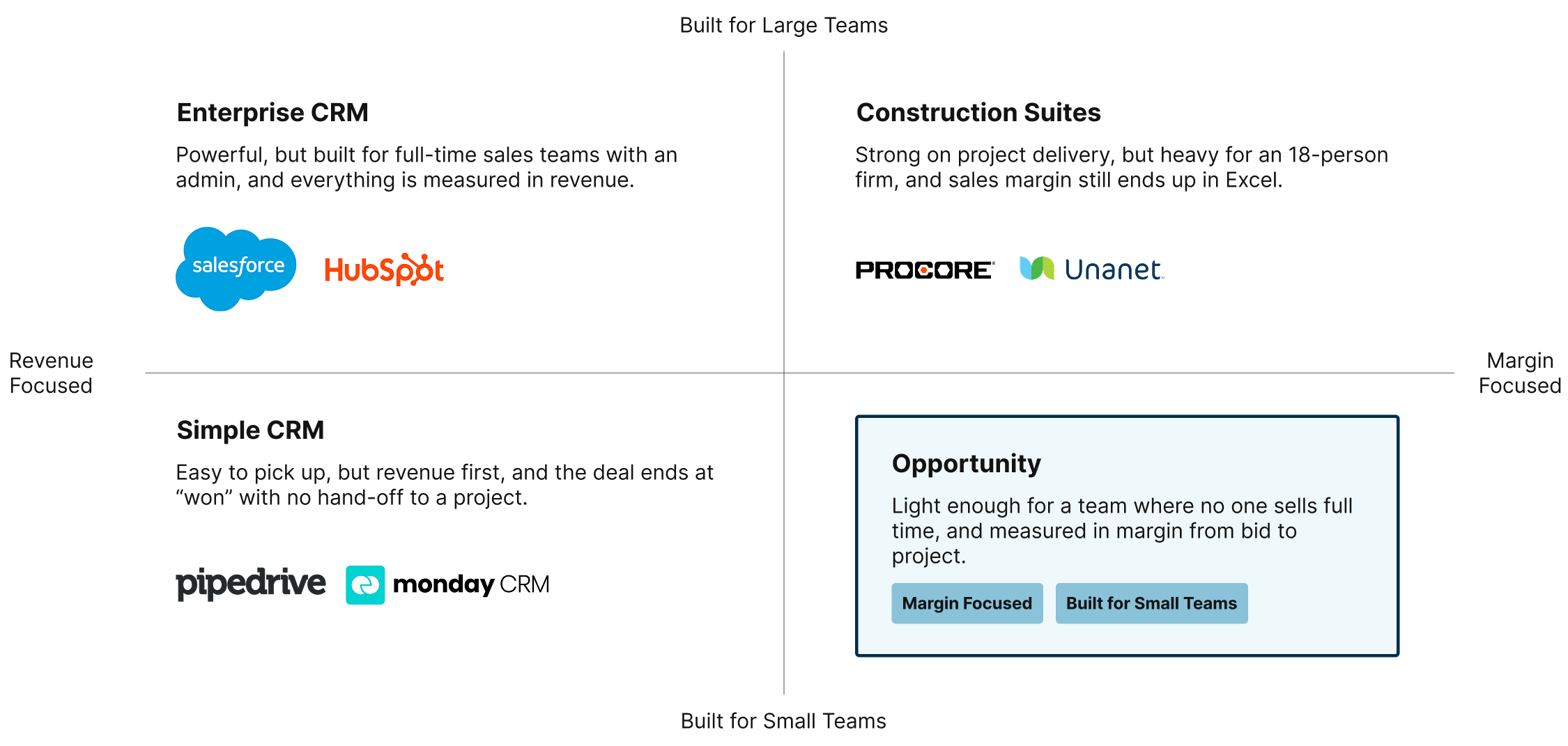
Why Not an Existing CRM?

Existing CRMs are built for full-time sales teams and measure revenue. A custom pipeline let the client start small, using the numbers they already trust and connecting deals to projects, while borrowing patterns those products have already proven. The trade-off is ongoing maintenance, so every feature has to earn its place.

How might we show a busy owner which deals will hit the margin goal?

The owner doesn't sell full time, so he needs answers at a glance, not another spreadsheet to maintain. The question brings together the three pain points: knowing where each deal stands, trusting the margin, and seeing the goal. It became the brief for every prompt and every design decision that followed.

A Working AI Prototype That Still Needed Design

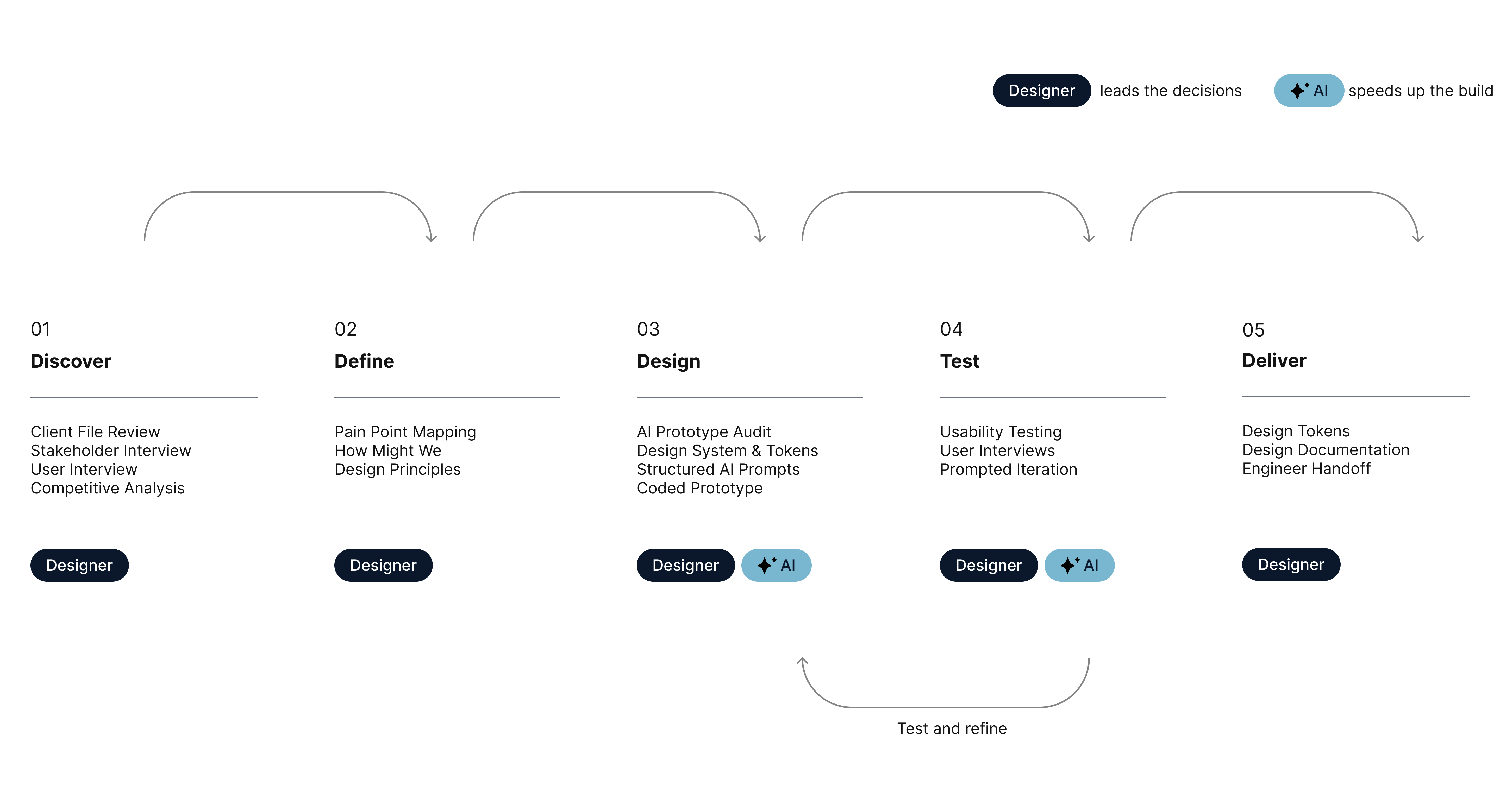
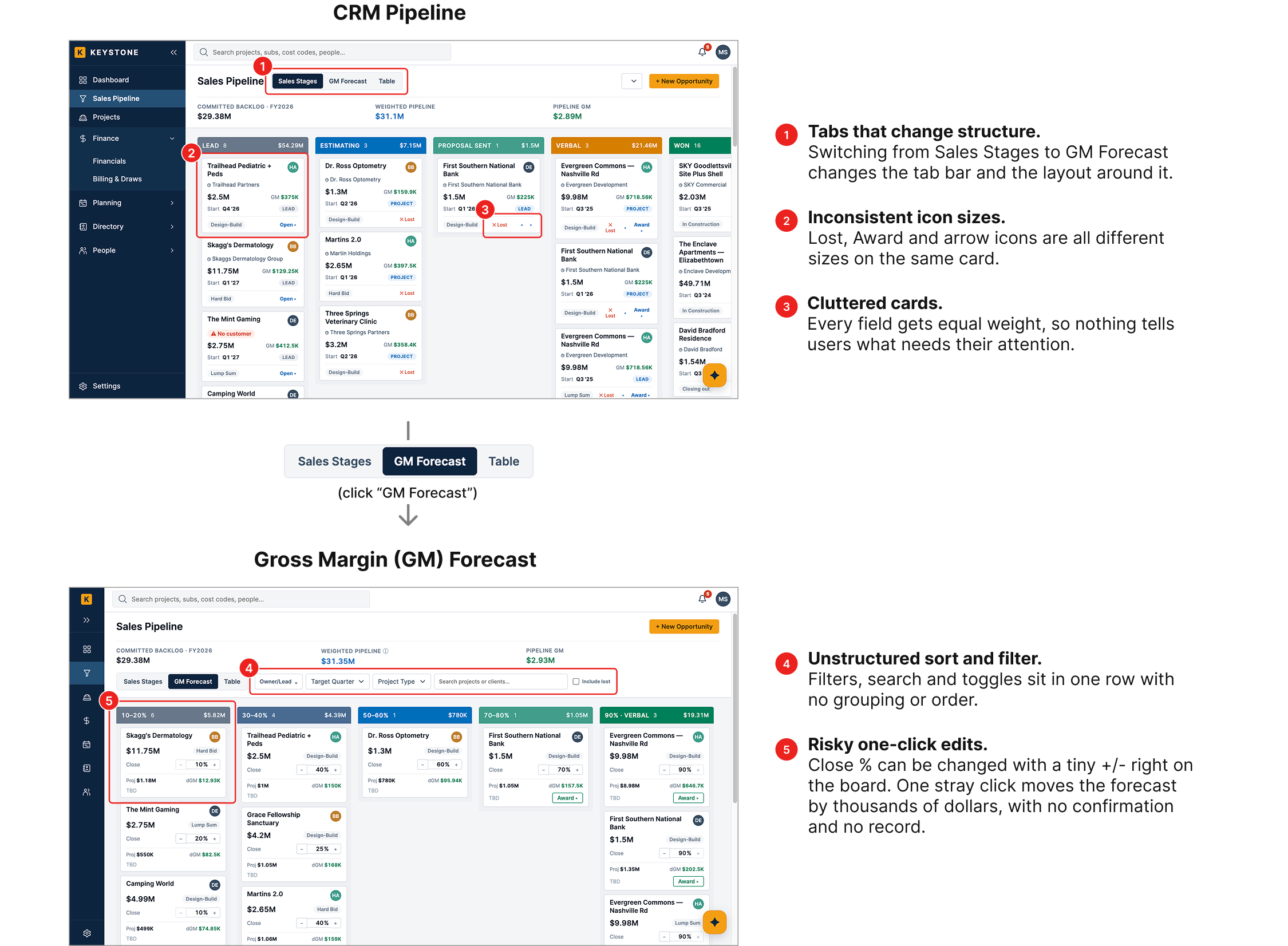
The project started with AI, to show the client what their CRM could look like before investing in a full design. Codex built a working first draft in days, which was enough to start the conversation. But it was a generic CRM, not one built for this firm.

Deals and projects were mixed together, won deals piled up with nowhere to go, margin was never compared to a goal, and no deal had a next step. So I took that draft and redesigned it, writing prompts against the prototype with the three principles as my brief.

Designing with AI

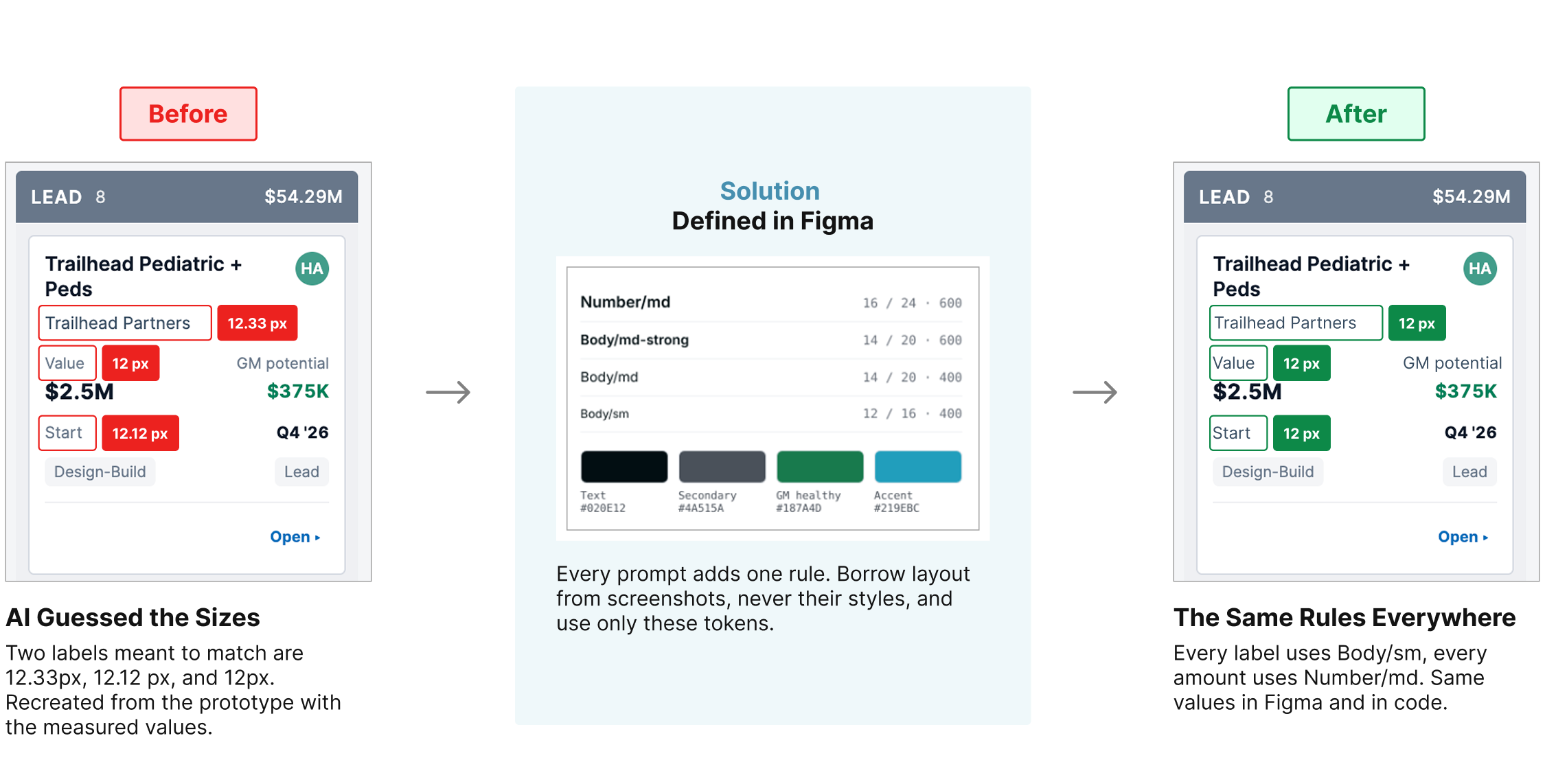
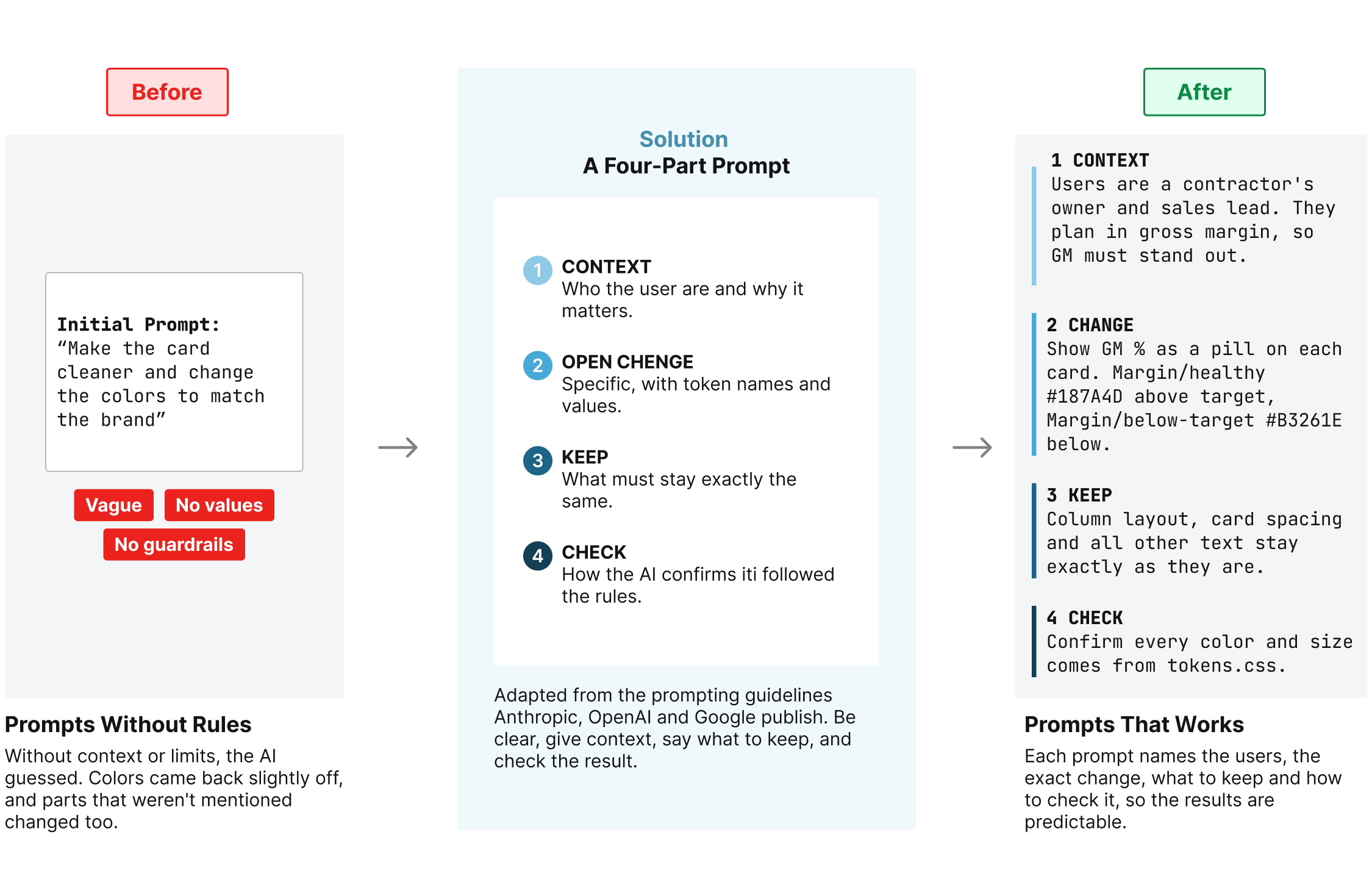
Vague prompts gave unpredictable results. Each prompt was rewritten as a short spec with four parts, so every change stayed contained and easy to check.

Five stages from bid to award

Most of a contract passes through to subcontractors, so the client measures every deal in margin, not revenue.  Take a $3.0M job. During estimating, the estimator adds up subcontractor quotes, materials and labor to $2.67M. The $330K left over is the gross margin, 11% of the contract. The bid goes out at $3.0M, and the 11% holds through negotiation. Once the job is awarded, that $330K is locked in for the project and counts toward the quarterly margin goal.
Prompts as the design spec

Instead of handing off static mockups, I designed by writing prompts against the live prototype. Each prompt started with shared context (the users, margin and the three principles), made one change at a time, and said what not to touch, so regressions were easy to spot.

Putting the First Redesign in Front of Users

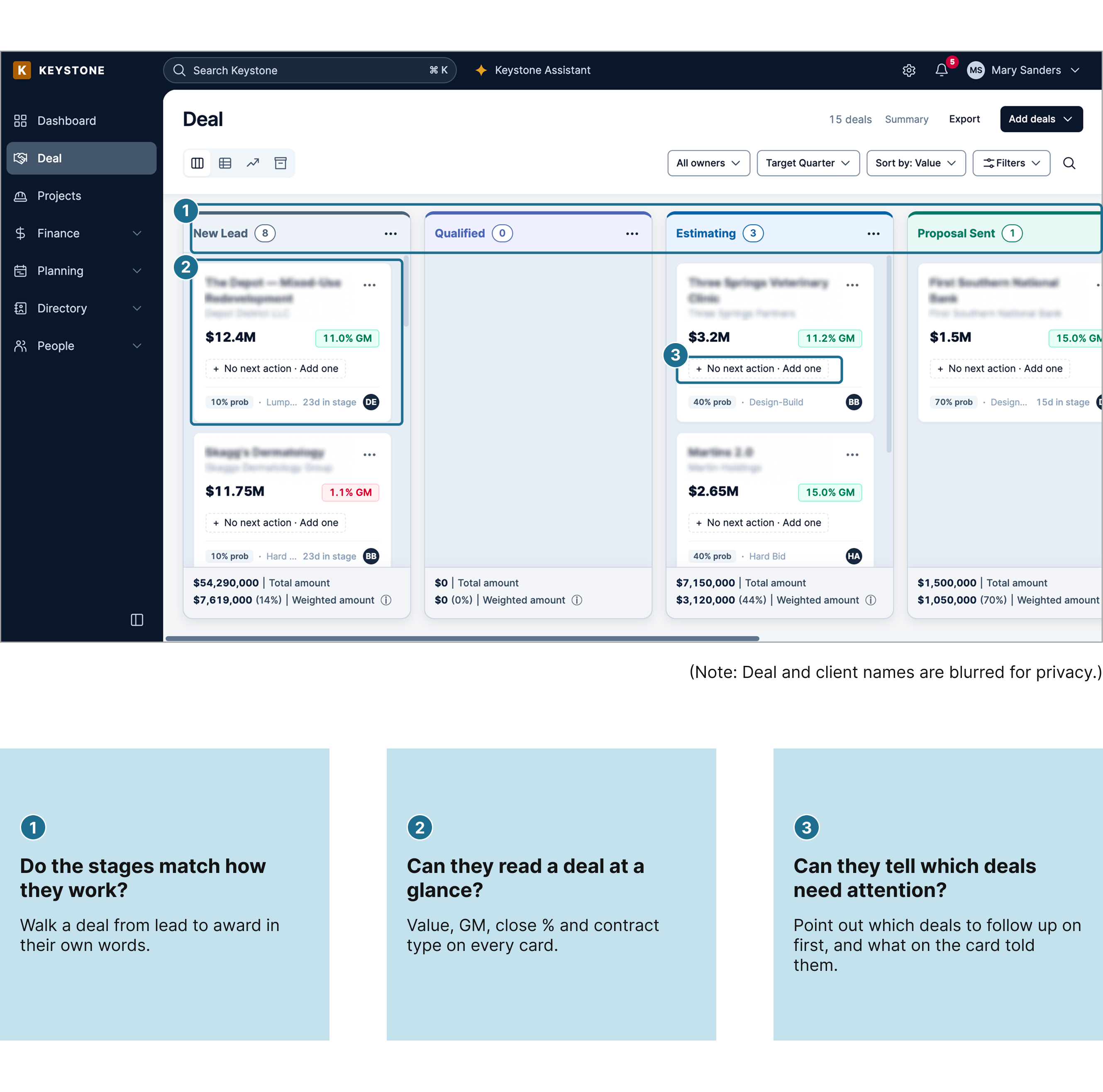
After reshaping the AI prototype around the client's workflow, the next question was whether it worked for the people who would use it. Usability testing with construction professionals walked through the board with three questions in mind.

What Testing Changed

Three findings from usability testing, and how each one reshaped the board.

Stages that rarely change took up the most space

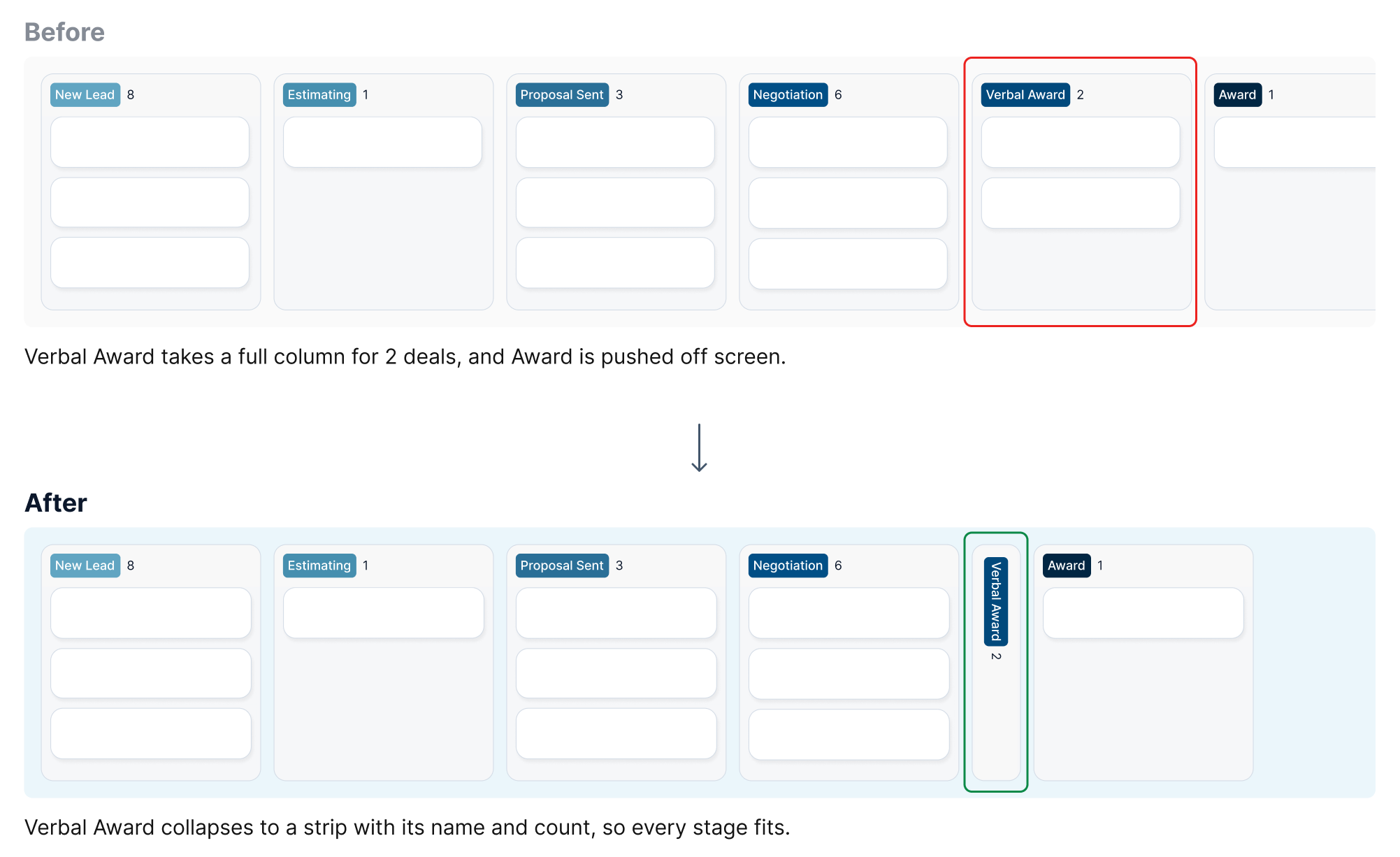
Verbal Award usually holds only a few deals, and they can wait there for weeks. As a full-width column, it pushed the stages participants checked most often off the screen.

What changed: Any stage can now collapse into a narrow strip that still shows its name and count, so the board fits on one screen.

Too much on each card

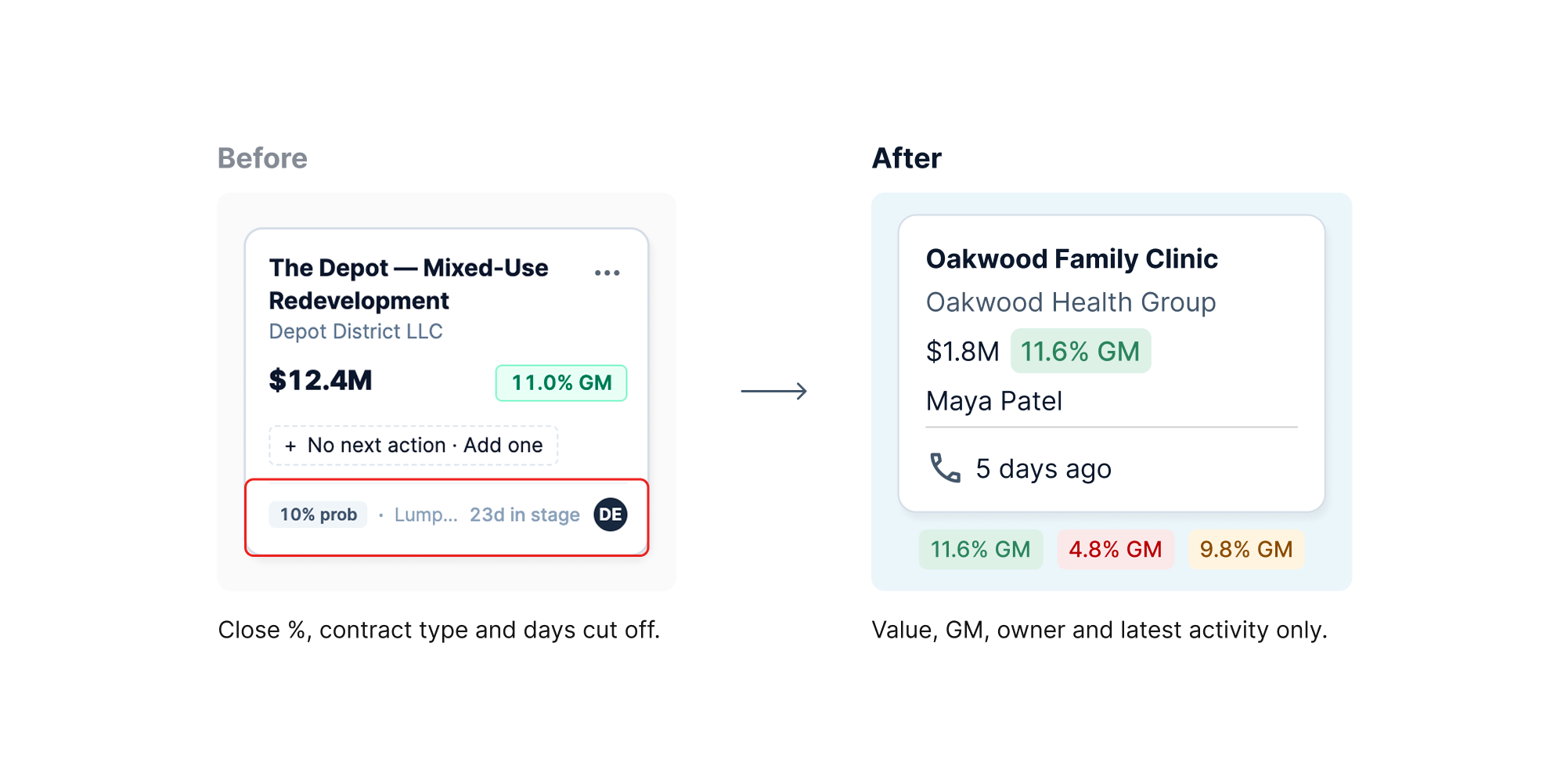
Participants went straight to the value and margin. Close %, contract type and days in stage were cut off or skipped, and early leads showed a margin before any estimate existed.

What changed: Cards now show only value, GM, owner and latest activity. GM turns green, amber or red against the target, and leads show "– GM" until they're estimated.

"No next action" on every card was ignored

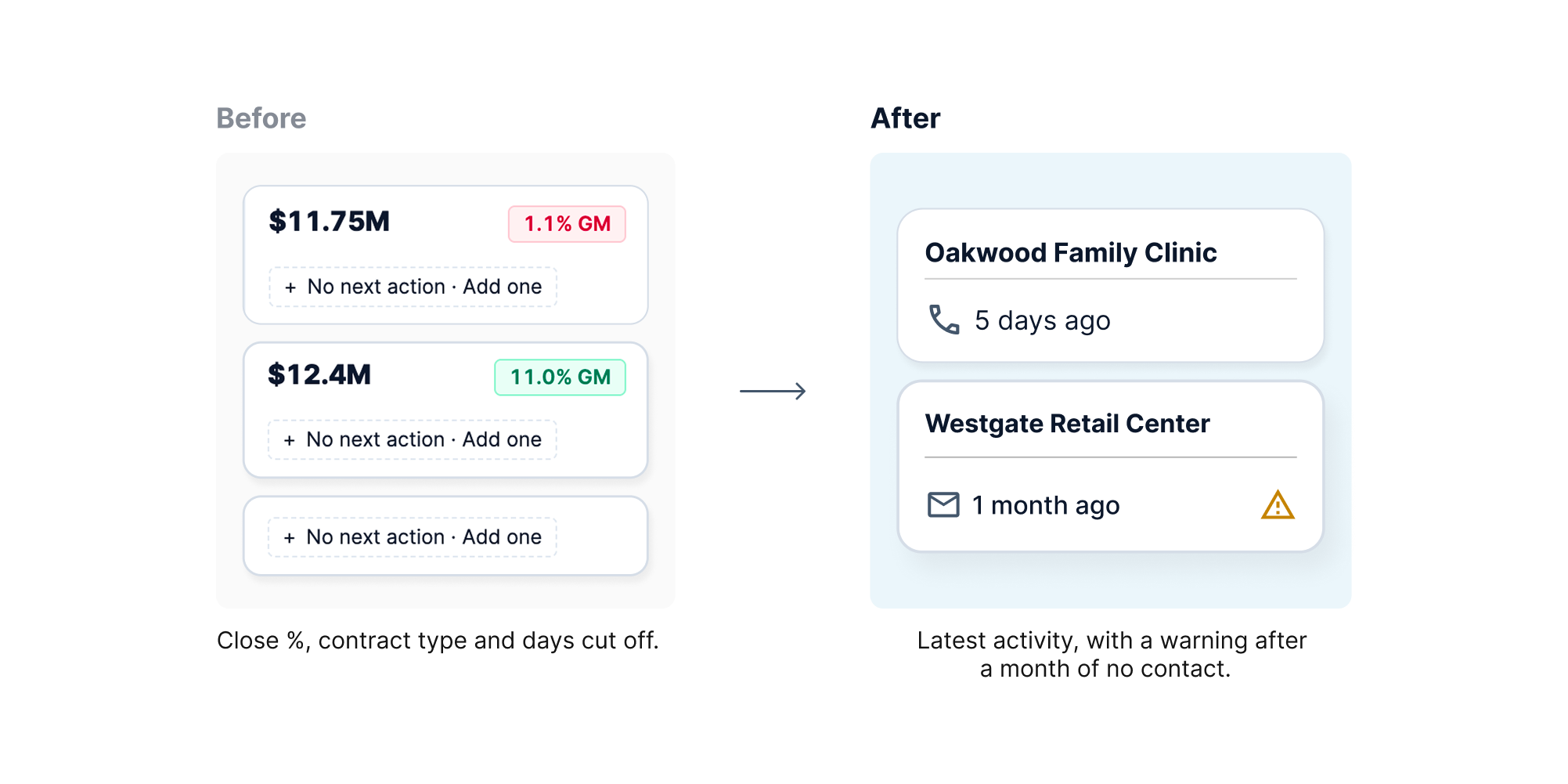
The same prompt appeared on every card, so it stopped meaning anything. Participants decided who to follow up with by how long it had been since the last contact.

What changed: Each card now shows the latest email, call or meeting, and turns amber after a month with no activity.

Margin-First Sales with Keystone

Learning & Takeaways

AI Is Fast, a System Keeps It Going

AI built a working CRM in days. Without a design system and a plan for the product, every new prompt drifts and the result gets harder to maintain.

AI Designs for Everyone, Research for Them

AI gives a generic CRM. Research showed a verbal yes can last for weeks, so Verbal Award became its own stage that collapses when it isn't needed.

Custom Pays Off When the Measure Is Different

Small firms often settle for off-the-shelf tools. Custom earns its cost when the business measures success differently, here in margin from bid to project.